Stuck?
Common blockers
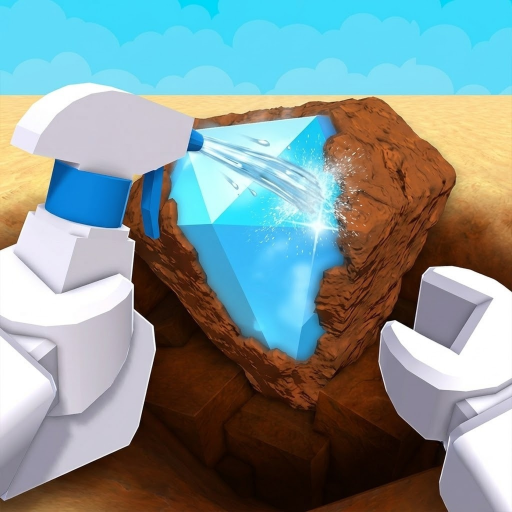
- Cannot identify an item: spray it clean first.
- Nothing to dig: confirm shovel equipped and you are in Dig & Clean.
- Wrong codes: leave Dig All Dinos / DIG lists; open /codes for this title only.
Player-facing loop from the official Roblox description: dig, spray clean to reveal, hunt rares, show them in your museum, and buy better shovels and spray bottles.
Detect glow spots, dig with a shovel, spray clean at the cleaning station, place keepers in the museum or sell surplus for cash, then buy better tools at the gear shop. No exploit scripts required—see script status.
Each step maps to a deeper wiki or guide page. First session friendly—no exploit scripts.
Launch Dig & Clean by Squeaky Clean! on Roblox (place 83038462357724). Confirm the title so you are not in DIG or Dig All Dinos.
Use the detector in the dig area. Glow colors hint rarity before you spend dig time.
Run the dig minigame on a glow spot to pull a dirty find. Stronger shovels dig faster and clear harder spots.
At the cleaning station, use a spray bottle so identity and value reveal. Later maps may offer stronger cleaners.
Fill museum slots for tourist cash; sell surplus for liquid gear money. Always clean before deciding.
Spend cash at the gear shop. Default finish order: shovel → detector → spray, then rebalance the bottleneck.
Bank cash for the pirate travel unlock (community: Shipwreck Cove), then repeat upgrade order on the new shop line.
Open codes status for this title only. Ignore Dig All Dinos / DIG lists and exploit script videos.
Official marketing lists Mobile, Tablet, PC, and Console. Controls differ by device, but the dig → clean loop stays the same.
Play on RobloxUse this when you opened the game from a “how to play” search and need a complete loop before optimising.
Confirm Dig & Clean by Squeaky Clean! (place 83038462357724). If the title or creator differs, leave and search again—DIG shovel metas and Dig All Dinos code lists do not apply.
Dig once, spray the find clean, read what appeared, and either park a standout find for museum goals or note it as common junk. Do not skip cleaning—identification is the product loop.
Open your museum and place at least one keep-worthy find. Official marketing treats display as a core flex, not an optional menu.
Ask which side stalled: digs or cleaning. Then open shovel/spray priority or the upgrade planner once—avoid random shop spam.
Official copy lists Mobile, Tablet, PC, and Console. Button prompts differ by device, but the player jobs do not: dig, spray clean, identify, museum, upgrade. If controls feel missing, re-equip the shovel or spray bottle and re-open the correct Dig & Clean place.
Farming is more complete dig→clean cycles per session—not boss DPS routes. When digs outpace cleaning, spray upgrades raise throughput; when digs lag, shovel upgrades do. See the loop efficiency guide for stop rules.
Loop efficiency (farming)Detect glow spots, dig with a shovel, spray finds clean at the cleaning station, place keepers in the museum or sell surplus for cash, then upgrade detector, shovel, and spray at the gear shop.
Use the detector to find glows, then run the dig minigame with a shovel. Digging creates dirty finds—spray clean before keep or sell.
Bring dirty finds to the cleaning station and use a spray bottle (later cleaners may include a pressure washer). If digs outrun cleaning, upgrade spray next.
Museum tourist income from displayed finds plus selling surplus at the sell station. Reinvest cash at the gear shop.
Yes. The official Roblox description lists Mobile, Tablet, PC, and Console.
Default finish order is shovel → detector → spray, then rebalance to the bottleneck. See finish fast and best shovel guides.
Not on this site. Script and auto dig pages explain the status and point to legal speed guides.
No. Dig & Clean by Squeaky Clean! is a different experience from DIG and Dig All Dinos.
Closest definitions and guides for this page—not a full site map.